DELTA-Hub Visualisation Laboratory
3D, VR & AR models
Explore the Danube Delta in three dimensions: bathymetric and topographic models, simulation animations and virtual tours created by the DELTA-Hub Visualisation and Science Outreach Laboratory. Models open directly in the browser – on a computer, a phone (augmented reality) or a VR headset.
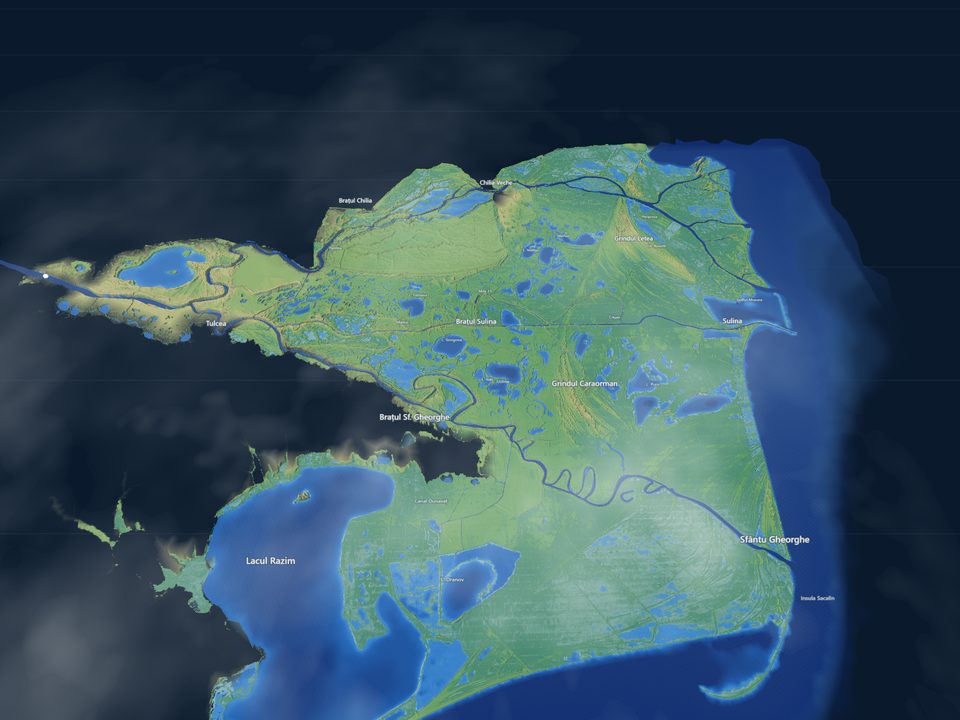
Delta vie – the Danube flood of winter 2023–2024
Watch the Danube Delta flood during the last major Danube flood (November 2023 – February 2024), simulated with the water-flow model developed in DELTA-Hub. Start with a 30-second guided tour from the river's entry into the delta to the sea, then explore on your own: tap the delta to read water level, depth and current speed. Interface in Romanian.
- Computer3D view · mouse
- Phone & tablet3D view · touch · AR on Android
- HeadsetMixed reality · Meta Quest
Launch the experience ≈ 70 MB – best on Wi-Fi
How to use it
Hover over a device (or tap it on a phone or headset) to see the instructions.
- Click Launch the experience and wait for the delta to load.
- Press ▶ Începe turul for the 30-second guided tour, or Explorează direct to skip it.
- Drag to rotate, scroll to zoom, right-click and drag to move the map.
- Click anywhere on the delta to read the water level, depth and current speed.
- Open ☰ Meniu and press ▶ Play to watch the flood unfold day by day.
- Use Wi-Fi if you can – the experience is about 70 MB.
- Start the guided tour, or explore directly.
- Drag with one finger to rotate, pinch to zoom, tap the delta to measure.
- Android + Chrome: tap START AR and point the camera at a table or the floor to place the delta in your room.
- iPhone and iPad show the 3D view; AR is not available there (Safari does not support WebXR).
- Open this page in the Quest Browser and launch the experience.
- Tap START AR – the delta appears in your room.
- Pinch or grab to move the map; use two hands to rotate and resize it.
- Point and press the trigger, or touch the delta with your finger, to measure the water.
- Press the Meta button to exit.